

Artificial intelligence is redefining the developer profession in 2025 with Cursor positioning itself as an assistant capable of generating, modifying, and debugging code autonomously.
This editor radically transforms the relationship between the programmer and their work environment. Repetitive tasks disappear in favor of focusing on software architecture.
Companies are now deploying this tool across all their employees, including those without technical training.
Cursor AI transforms how you code with artificial intelligence
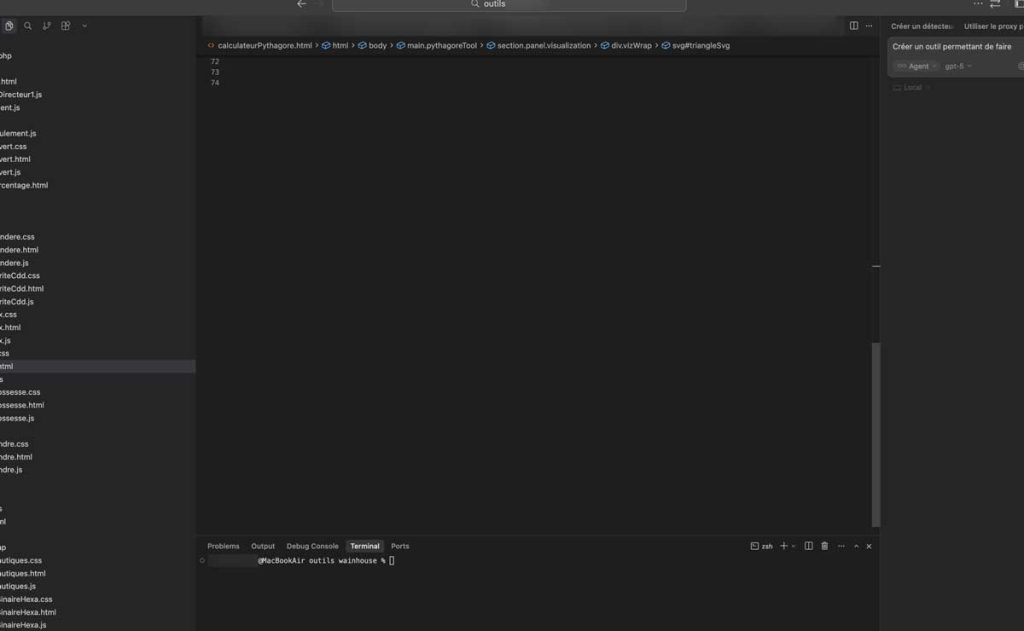
A next-generation code editor based on VS Code
Developed by the company Anysphere, Cursor is a major evolution of Visual Studio Code.
This enhanced version retains the familiar interface while integrating native artificial intelligence capabilities. The advanced fork maintains compatibility with existing extensions.
Developers accustomed to VS Code migrate without an adaptation period, finding their shortcuts and usual configurations. The platform works on Windows, macOS, and Linux.
Installation is done simply by downloading from cursor.com and configuring an API key to activate advanced features.
Cutting-edge AI models natively integrated

The tool supports multiple large language models simultaneously. Claude Sonnet 45, GPT-4o, and Gemini 3 integrate directly into the development environment.
Switching between these different models is done with one click. This flexibility allows exploiting the specific strengths of each system depending on the project context.
| AI Model | Specialty | Web development performance |
|---|---|---|
| Claude Sonnet 4.5 | Fine editing and refactoring | Excellent |
| GPT-4.5 | Complex code generation | Very good |
| Gemini 3 | Contextual analysis | Good |
Massive adoption in 2025 by developers and companies
International rankings place Cursor among the top artificial intelligence tools for coding. This recognition reflects a rapid rise since the 2023 launch.
The solution also ranks among the best free AIs for coding thanks to its free tier. This accessibility encourages experimentation by independent developers and small organizations.
The website has gone international with a Japanese version launched in February 2025. This linguistic expansion accompanies worldwide growth of the user base.
Features that allow Cursor to code for you
Cursor Tab and Composer automatically generate your code
The Tab feature predicts and generates entire code blocks by analyzing the project context in real time. A simple press of the Tab key is all it takes to accept suggestions.
Composer goes further by allowing you to describe a feature in natural language. The AI then generates the complete code, including unit tests and associated documentation.
This declarative method frees the developer from syntactic constraints. Focus shifts to architectural design and business logic.
Integrated Chat debugs and explains your code in real time
Cursor Chat offers contextual dialogue with artificial intelligence directly in the editor. This conversational interface understands the surrounding code and project history.
Developers ask questions in French or other supported languages. The assistant explains complex sections, identifies potential bugs, and suggests optimizations.
The main Chat capabilities include:
- Detailed explanation of existing functions or algorithms
- Identification and correction of logic or syntax errors
- Performance improvement suggestions
- Automatic technical documentation generation
Agent Mode executes complex tasks autonomously
This advanced feature transforms the AI into an autonomous collaborator. The agent navigates the codebase, executes terminal commands, and applies modifications without constant supervision.
Agent Mode aligns with the trend of autonomous systems predicted for 2026 by Microsoft. These intelligent assistants anticipate needs and take initiative within defined constraints.
Typical use cases include dependency migration, configuration updates, or global architecture refactoring. The agent documents its actions to maintain traceability.
AI multi-cursor editing modifies multiple files simultaneously
Parallel editing applies coherent transformations across multiple code sections. This capability surpasses traditional multi-cursor features by understanding semantic context.
A developer can request renaming a variable throughout the project. The AI identifies all relevant occurrences, including in comments and documentation, while avoiding false positives.
| Type of modification | Number of files processed simultaneously | Average execution time |
|---|---|---|
| Variable renaming | Unlimited | A few seconds |
| Function refactoring | 10-50 files | 1-2 minutes |
| Dependency update | All affected files | 2-5 minutes |
Cursor outperforms GitHub Copilot and doubles your productivity
Measurable time savings and reduction of repetitive tasks
User feedback on X reports a multiplication of development speed compared to GitHub Copilot. This improvement comes from native model integration and deep contextual understanding.
Copilot accelerates manual coding, while Cursor achieves superior ratios. Some developers even call the tool the “ultimate cheat” because the gains seem so disproportionate.
Repetitive tasks almost entirely disappear:
- Automatic boilerplate code generation
- Standardized unit test creation
- Systematic refactoring following best practices
- Continuously generated technical documentation
This automation allows developers to focus on architectural challenges. The freed-up time is reinvested in design, innovation, and complex problem-solving.
An attractive value proposition at 20 dollars per month with a free version
Cursor Pro costs approximately 20 dollars per month, a competitive rate compared to professional alternatives. This plan unlocks unlimited access to premium models and advanced features.
A free tier exists with reasonable limitations. This version allows testing the tool and is suitable for personal projects or occasional developers.
Compared to traditional development costs, the investment pays for itself quickly. Saving a few hours per week easily justifies the subscription for a professional.
Current limitations and development outlook for 2026
Dependence on paid APIs is a constraint for some users. Calls to Claude or GPT models generate additional costs beyond included quotas.
Occasional hallucinations persist despite continuous improvements. The AI can generate syntactically correct but logically flawed code, requiring human validation.
Regular updates progressively fix these issues. Version 0.40 and subsequent releases in 2025 reduced errors and improved contextual accuracy.
Microsoft envisions an “AI partner era” in 2026 with tools like Cursor at the forefront. This vision positions artificial intelligence as a permanent collaborator rather than a simple assistant.
The evolution toward more autonomous agents is confirmed. Future versions should consolidate planning and complex task execution capabilities without human intervention.


